


01 / System intelligence · Windows · 2026
HEKA versus the official MSI app.
A health dashboard for Windows and a widget next to the clock. I made it to stop using Dragon Center, and it ended up weighing less than a quarter of it.
Less memory on the same laptop
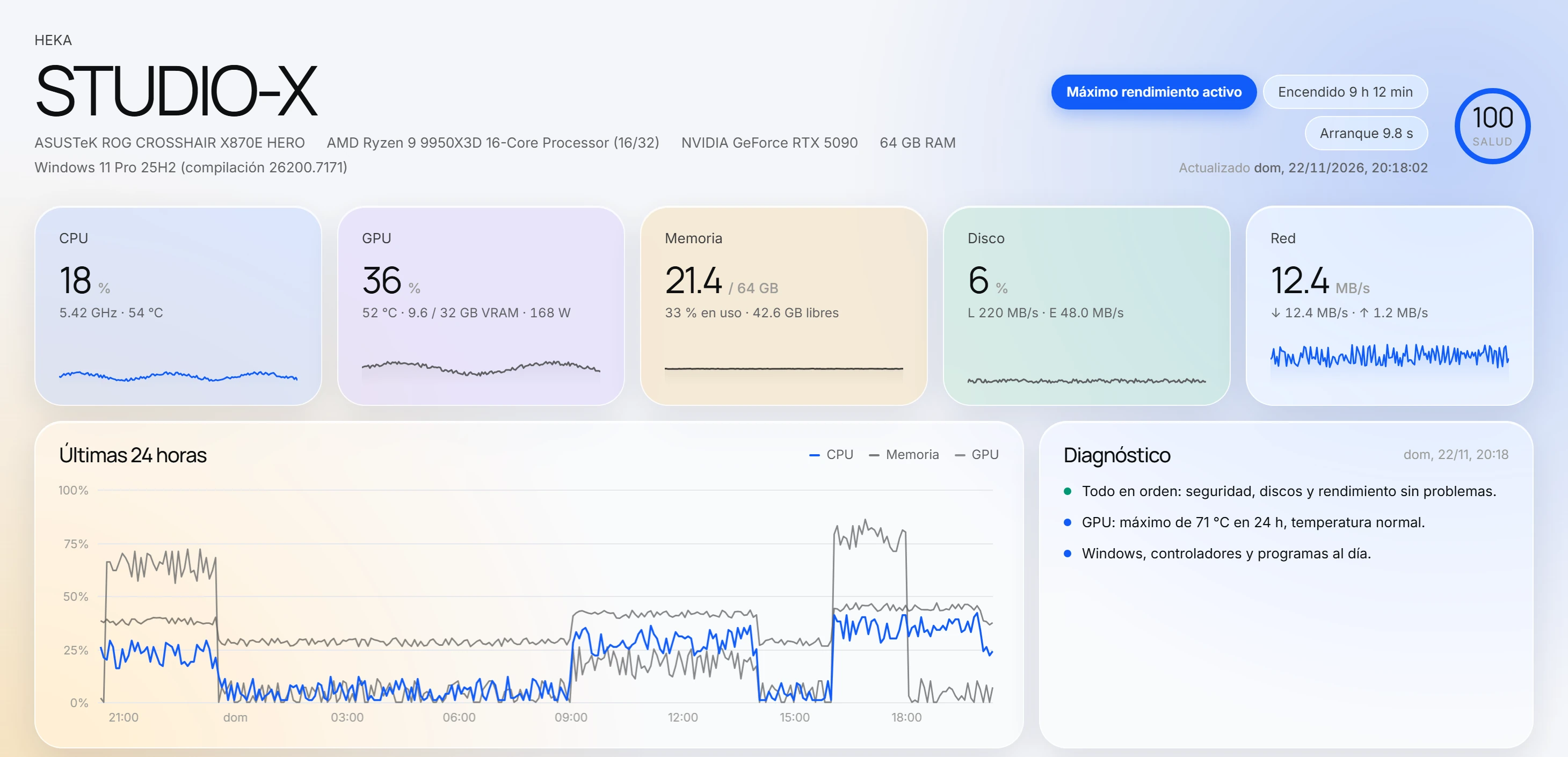
The dashboard.
Health, CPU, GPU, memory, disk and network live, with the last 24 hours and a diagnosis that tells me in one line whether everything is fine.
Memory, versus 317 MB
With both apps open on the same laptop.
On disk, versus 1.4 GB
A single file versus MSI’s full installation.
Processes, versus 13
MSI spreads the work across five programs and seven Windows services that are always running.
Features, versus 8
Out of the 20 I compared, counting only the complete ones.
The widget.
It lives in an icon next to the clock and only opens when I call it. For a quick look I don’t have to open anything else.
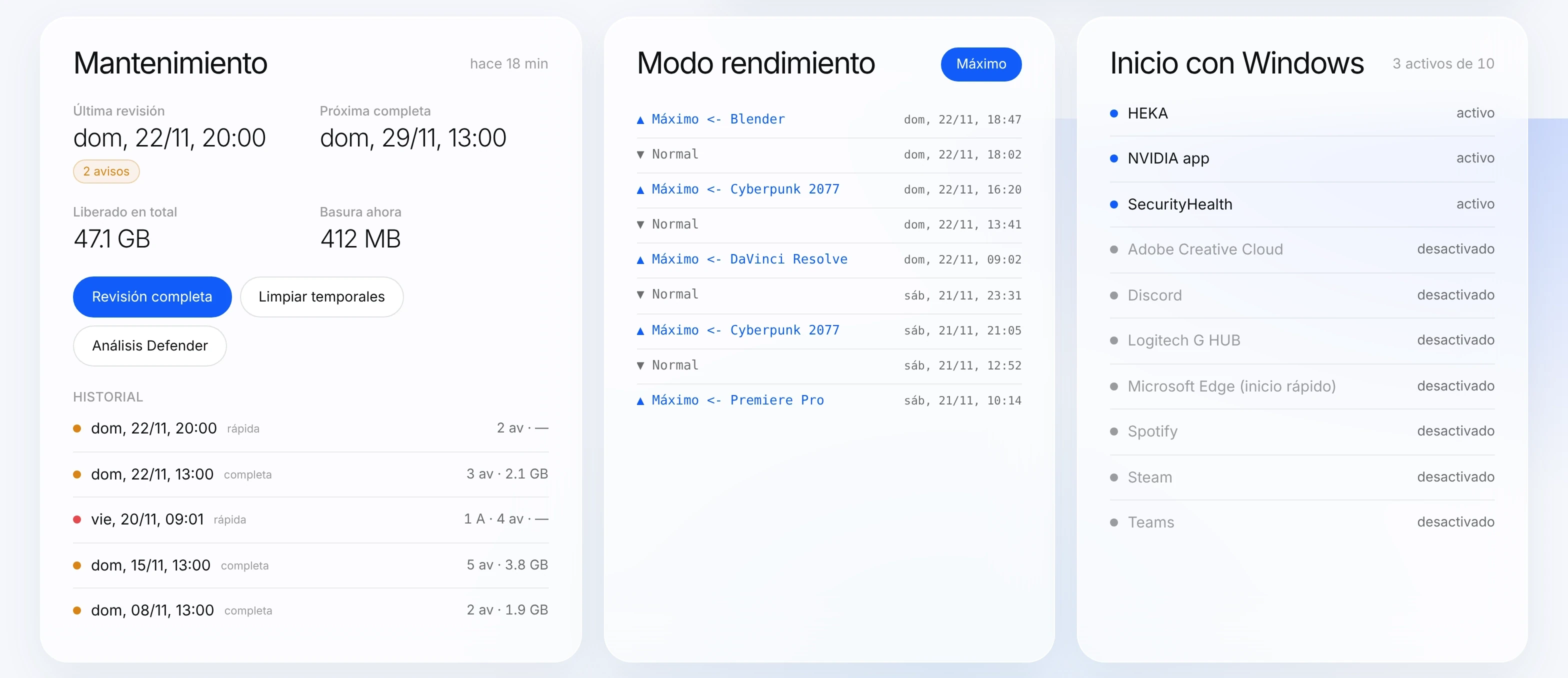
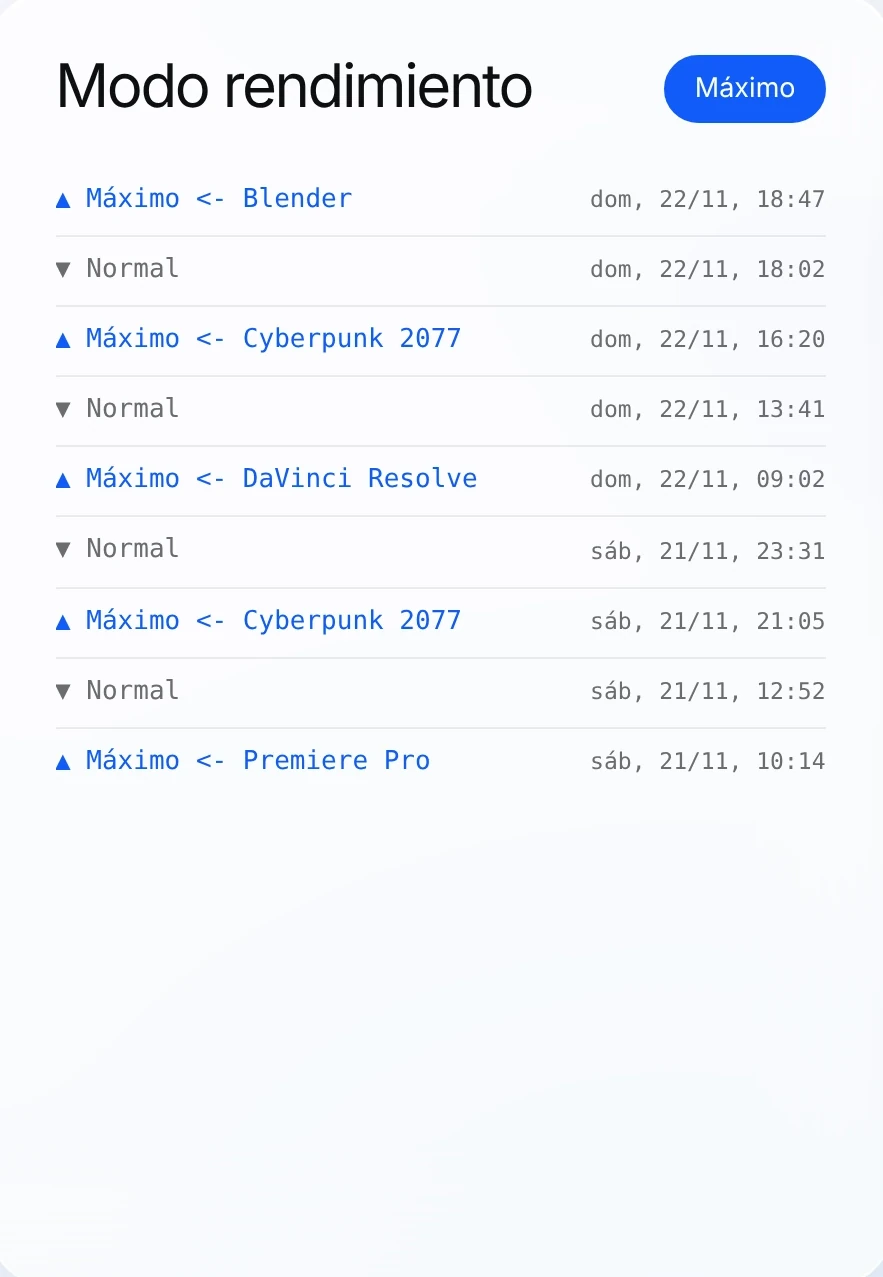
Maintenance and performance mode.
A full check-up every week and a quick one at startup. Performance mode switches on by itself when I open Resolve, Blender or a game, and back to normal when I close it.
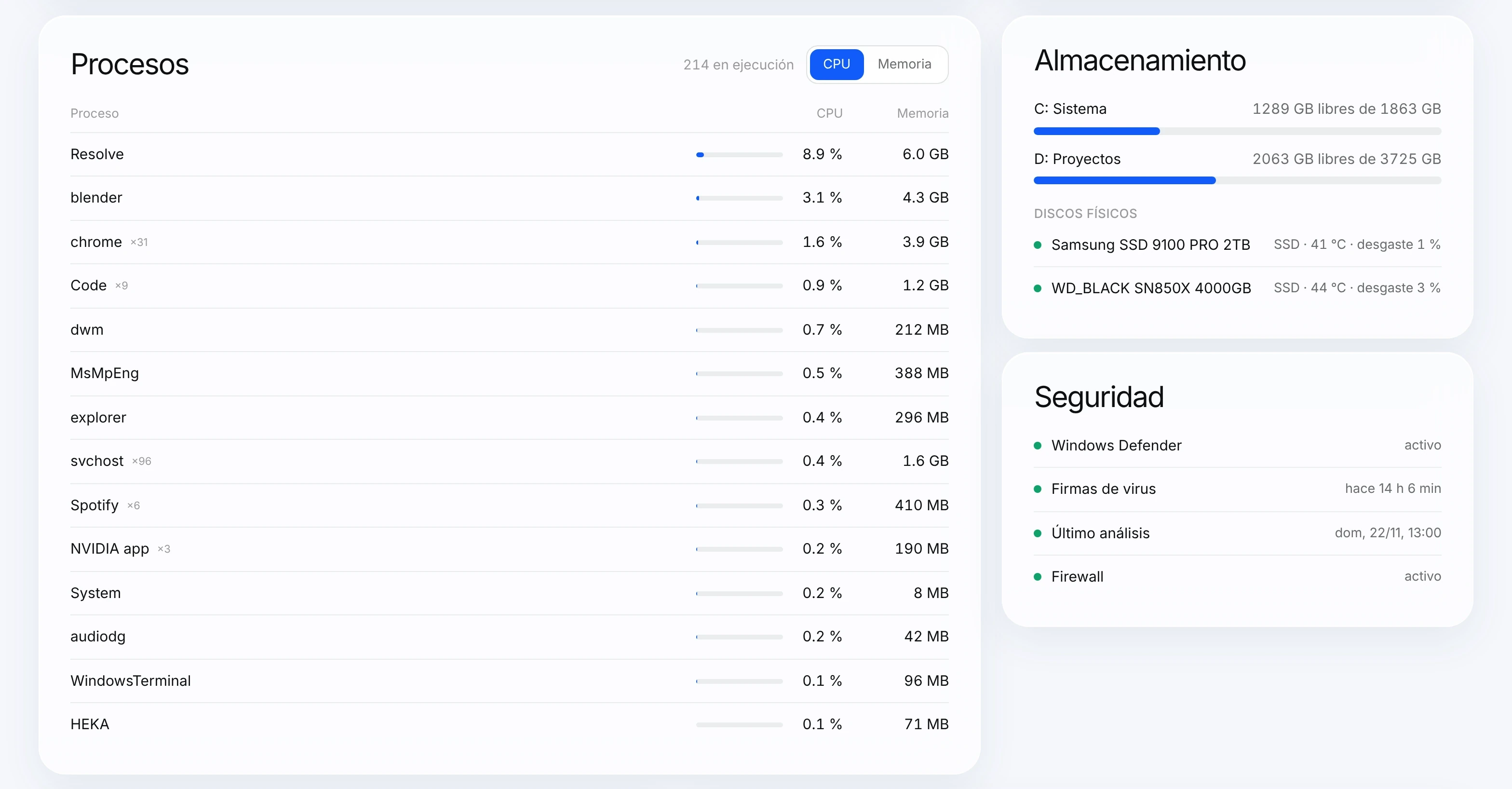
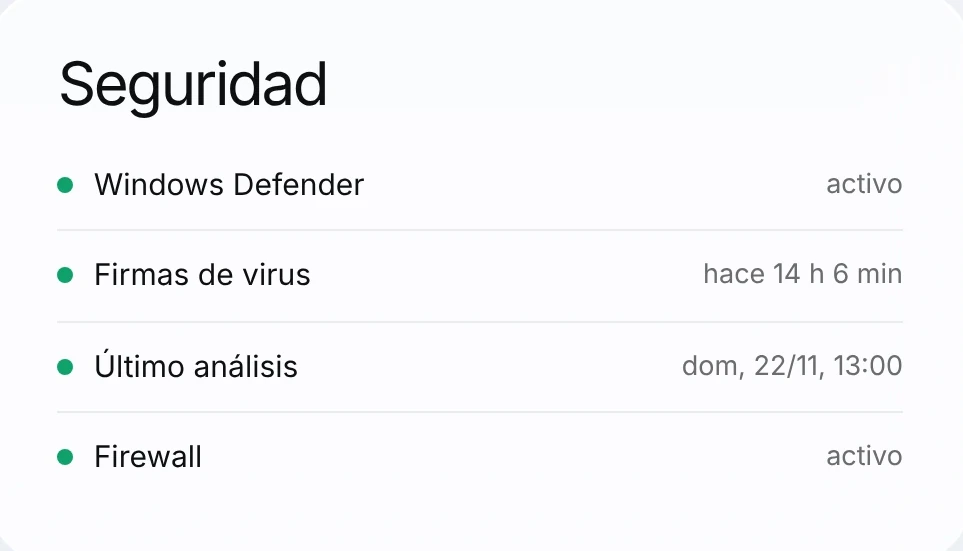
Processes, disks and security.
What’s using resources right now, how much space is left, the wear of each SSD and the status of Defender and the firewall.
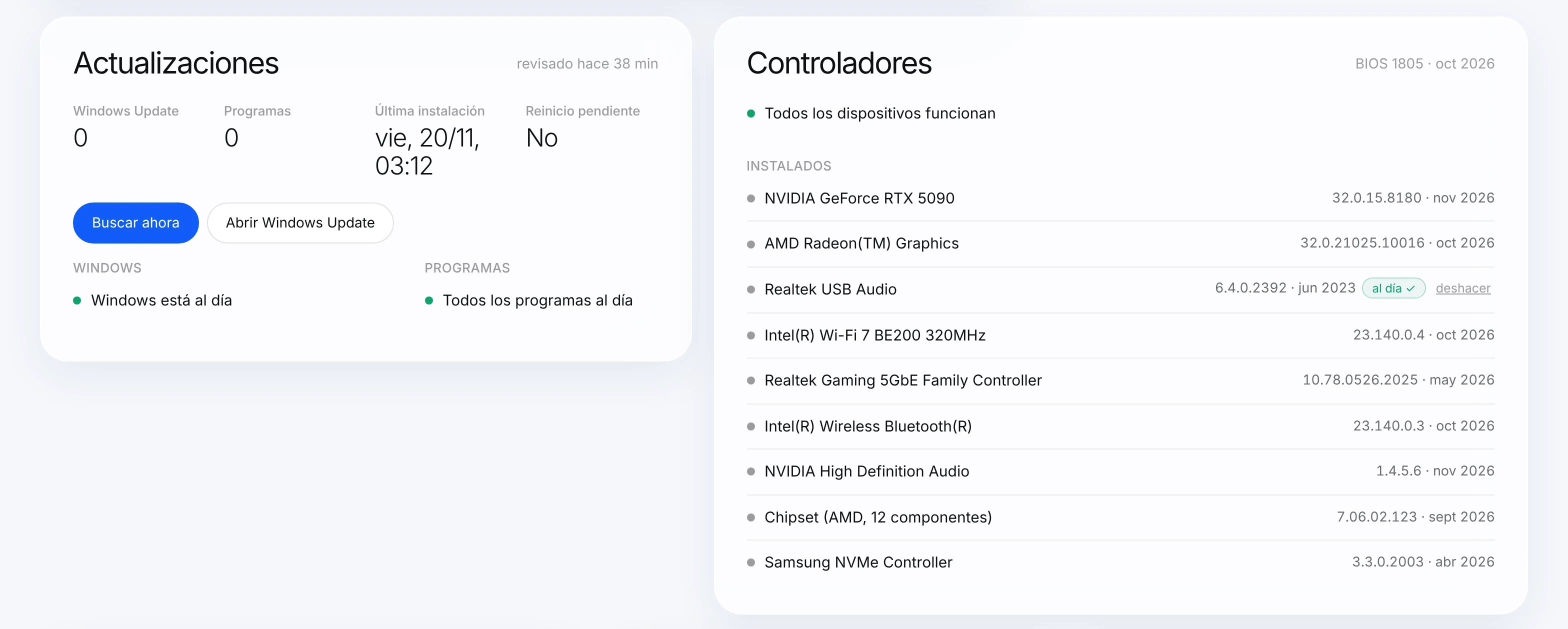
Updates and drivers.
Windows, apps and drivers in a single view. An old driver leads to the official download or gets marked as up to date.
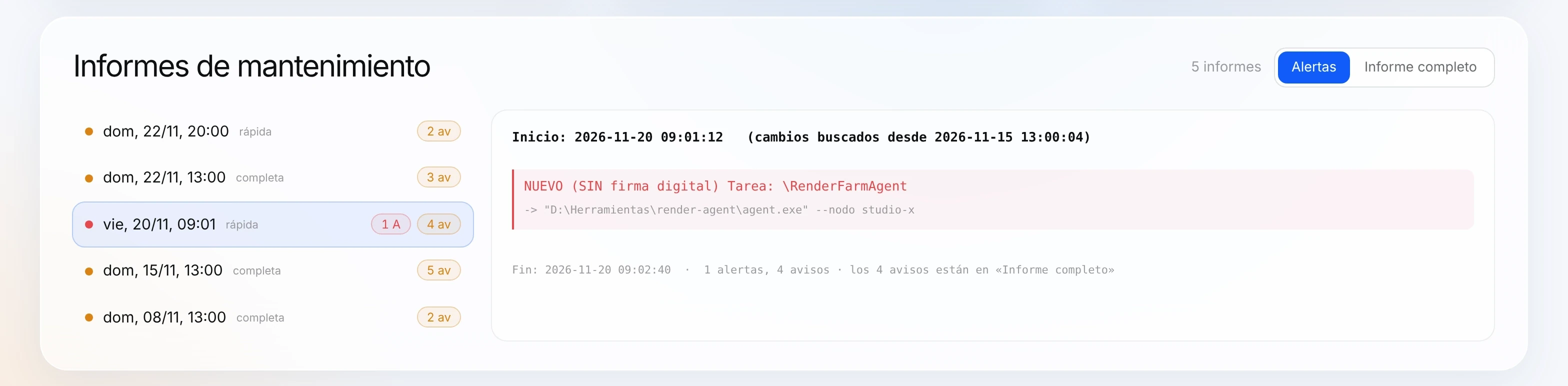
Reports.
Every alert comes with the exact path of whatever caused it. Anything I approve stops warning me.
Where it started.
My laptop came with its own control app. It showed me fans, lights and power modes, but not what I really wanted to know: whether the machine was healthy, secure and up to date.
That information existed, scattered across corners of Windows that hardly anyone visits. Someone just had to bring it together and tell it clearly. That’s how HEKA came about.
Four decisions.
- 01
Show up when you call it.
A widget that’s always on screen ends up being noise. HEKA’s lives next to the clock and only opens with a click.
- 02
Weigh less than what I wanted to improve.
The first version worked, but it used more memory than the manufacturer’s app. A health tool can’t be part of the problem, so I rewrote it from scratch: from 320 MB to 71.
- 03
Only work when it needs to.
It measures every two seconds while I’m looking and every five when nobody is. Attention when it matters, silence the rest of the time.
- 04
A system, not a one-off.
HEKA shares its visual language with MAAT, KAIMO and HEIM. They read as one family.
HEKA doesn’t replace the manufacturer’s app: fans, battery and lights are still its job. What it does is tell me at a glance what I used to have to go looking for.
Open to new projects
What if the tool you need doesn’t exist yet?
I like finding simpler ways of doing things. Sometimes that ends up as an app like these. Other times, as a visual identity, a website, a campaign or a space.
In the end, that’s a big part of what I do: understand what’s needed, work out how to solve it and design something that makes sense.
If you’ve got a project on your hands, let’s talk.
Credits and legal notes
HEKA — Dani H Herrera. A personal project developed in 2026.
Idea, product design, interface and direction: Dani H Herrera. Developed with the help of artificial intelligence (Claude, by Anthropic).
The screenshots use fictitious data to show the interfaces without exposing any personal information.
Measured on 22 November 2026 on an MSI GE66 Raider 10SFS running Windows 11 and MSI Dragon Center 2.0.129. Memory is the combined private memory of all of each app’s processes. The 4.5× includes the Nahimic audio software MSI installs alongside Dragon Center; without it, the difference is 1.9×.
MSI and Dragon Center are trademarks of Micro-Star International Co., Ltd. HEKA is an independent personal project, not affiliated with MSI.