


04 / Your world · TV · 2026
A second life for a TV that still has plenty to give.
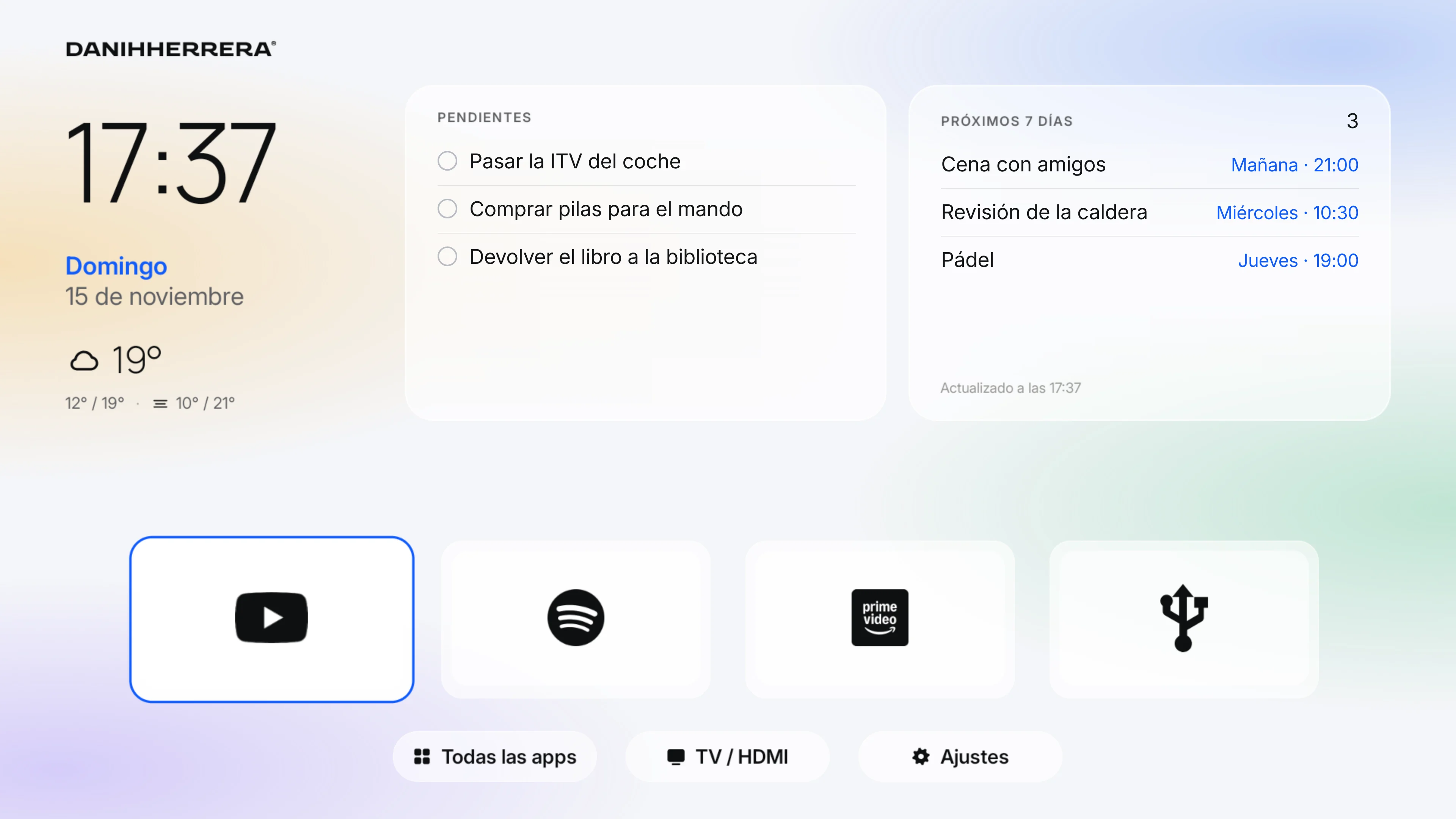
My TV’s home screen, made to measure. When I turn it on I see what matters to me, and nothing else shows up.
Button on the remote to reach any app
The home screen.
The time, the date, the weather, my to-dos and the week ahead, all in one view.
days
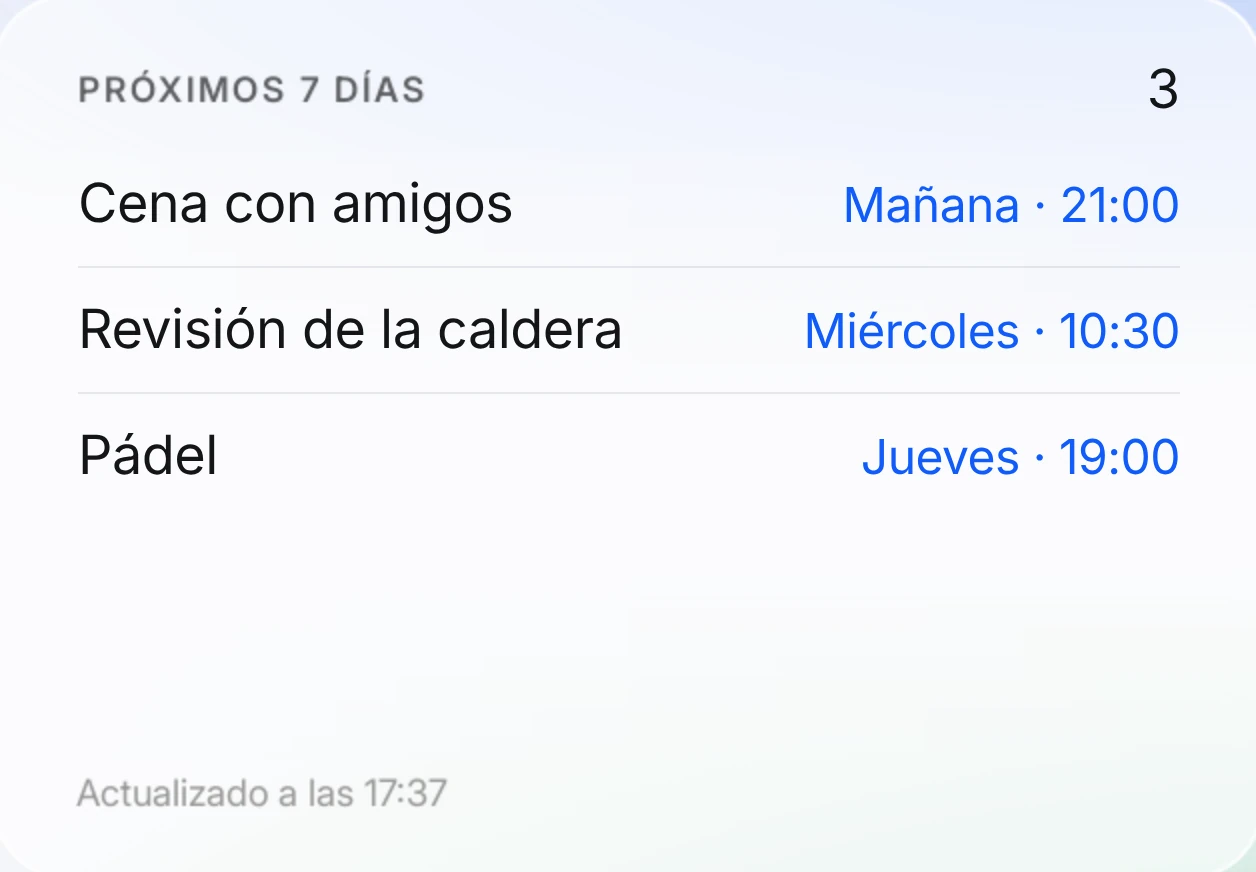
My upcoming Google Calendar events, visible from the sofa.
shortcuts
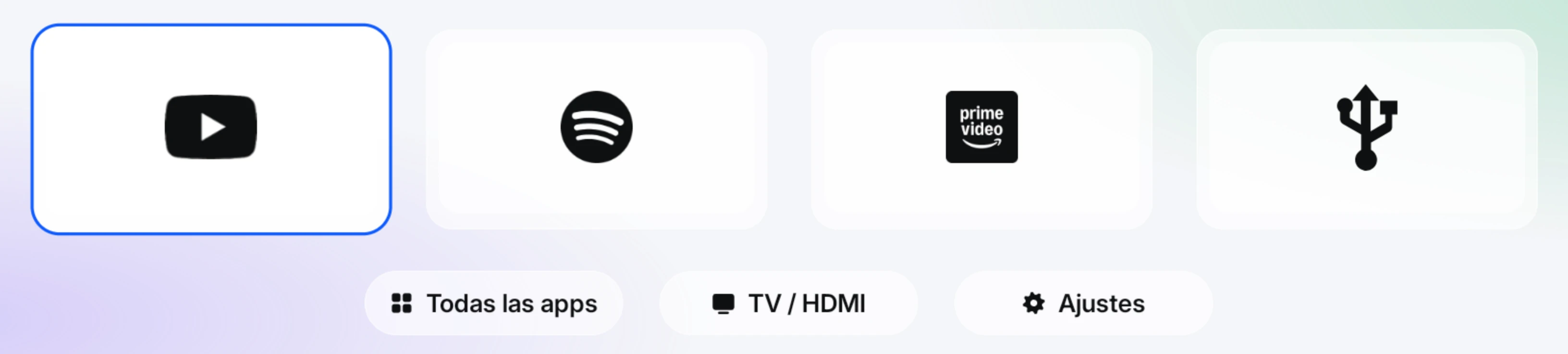
YouTube, Spotify, Prime Video and the USB stick, each one button away.
ads
No recommendations and no content I didn’t ask for.
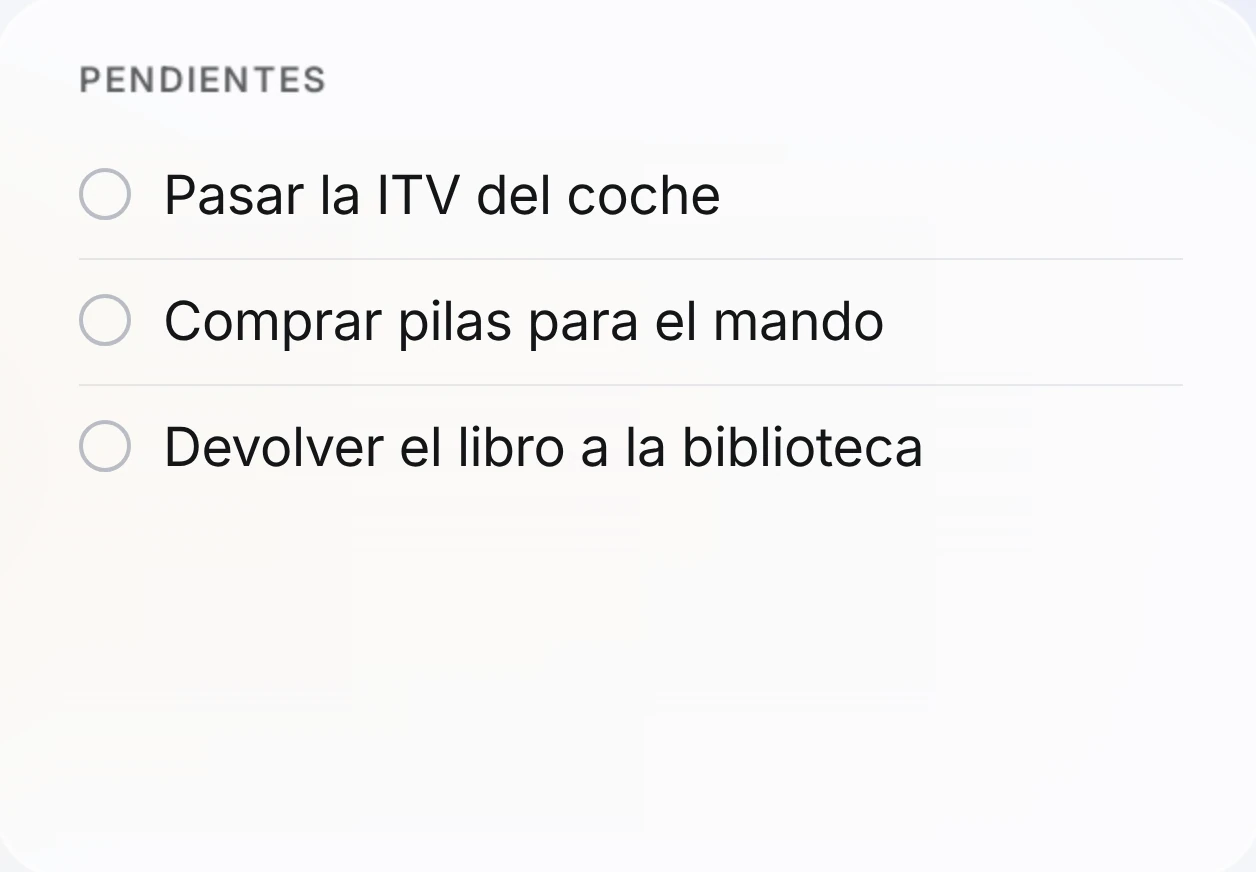
Pending.
My Google tasks, without reaching for my phone.
Next 7 days.
What’s coming up this week, with the day and time.
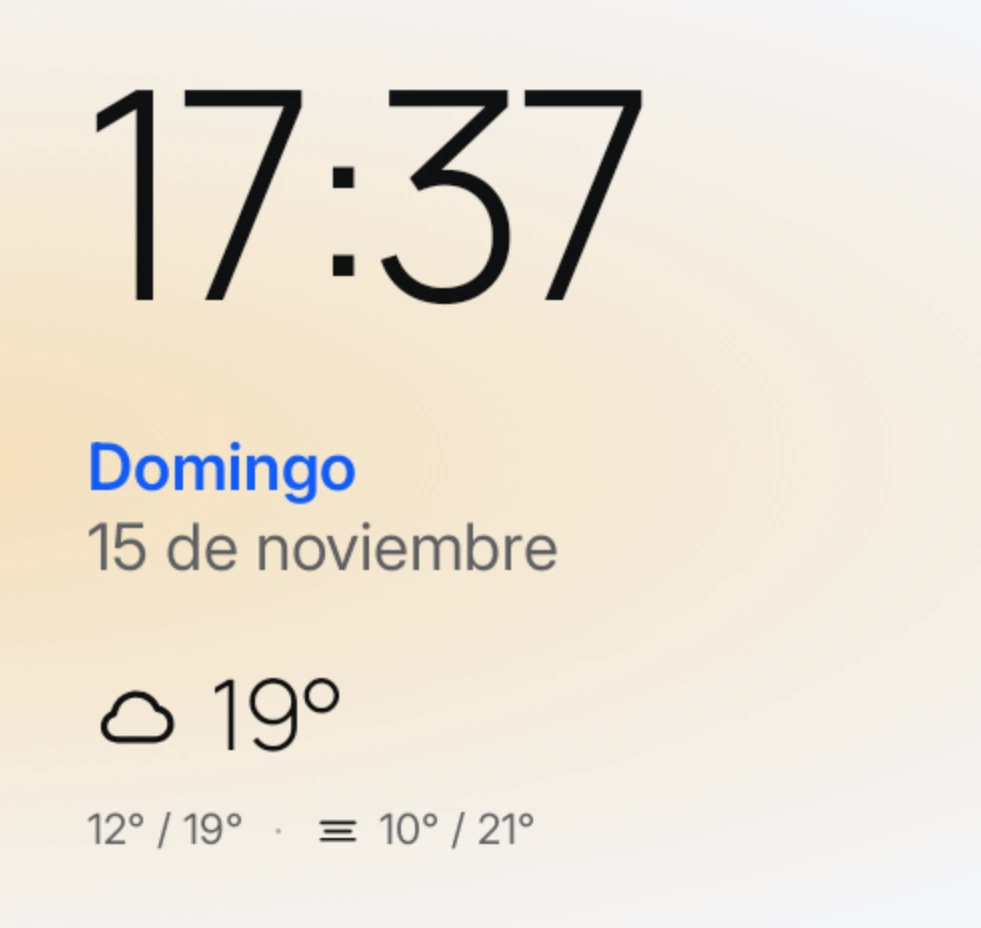
Weather.
The current temperature, plus today’s and tomorrow’s highs and lows.
Shortcuts.
The four apps I use, plus all apps, the HDMI input and settings.
Where it started.
My TV works perfectly. What I didn’t like was everything I had to get through every time I turned it on: menus, recommendations and apps I don’t use.
I didn’t need a new TV. I needed a new way of using the one I already have.
Four decisions.
- 01
Everything with the remote.
It’s driven with the arrow keys: the selected item is outlined big and in blue, so you can see it from the sofa.
- 02
What I check, not what I’m sold.
My tasks, my week and the weather take the place the recommendations used to take.
- 03
A few apps, in plain sight.
Four shortcuts cover almost everything I do with the TV. The rest is still one click away in “All apps”.
- 04
The same family.
HEIM carries my logo and the same visual language as HEKA, MAAT and KAIMO.
Turning on the TV and choosing what to watch is as simple again as it should be.
Open to new projects
What if the tool you need doesn’t exist yet?
I like finding simpler ways of doing things. Sometimes that ends up as an app like these. Other times, as a visual identity, a website, a campaign or a space.
In the end, that’s a big part of what I do: understand what’s needed, work out how to solve it and design something that makes sense.
If you’ve got a project on your hands, let’s talk.
Credits and legal notes
HEIM — Dani H Herrera. A personal project developed in 2026.
Idea, product design, interface and direction: Dani H Herrera. Developed with the help of artificial intelligence (Claude, by Anthropic).
The screenshots use fictitious data to show the interfaces without exposing any personal information.